System audio and voice recording. At your pace.
Free Sound Recorder
Record online radio or other sound playing on your Windows PC, capture your microphone and keep the tracks separate.
100% Free. No Registration. No Activation.
- ✓All included features are free
- ✓No trial expiry
- ✓No subscription
Windows 10 & 11 · 64-bit
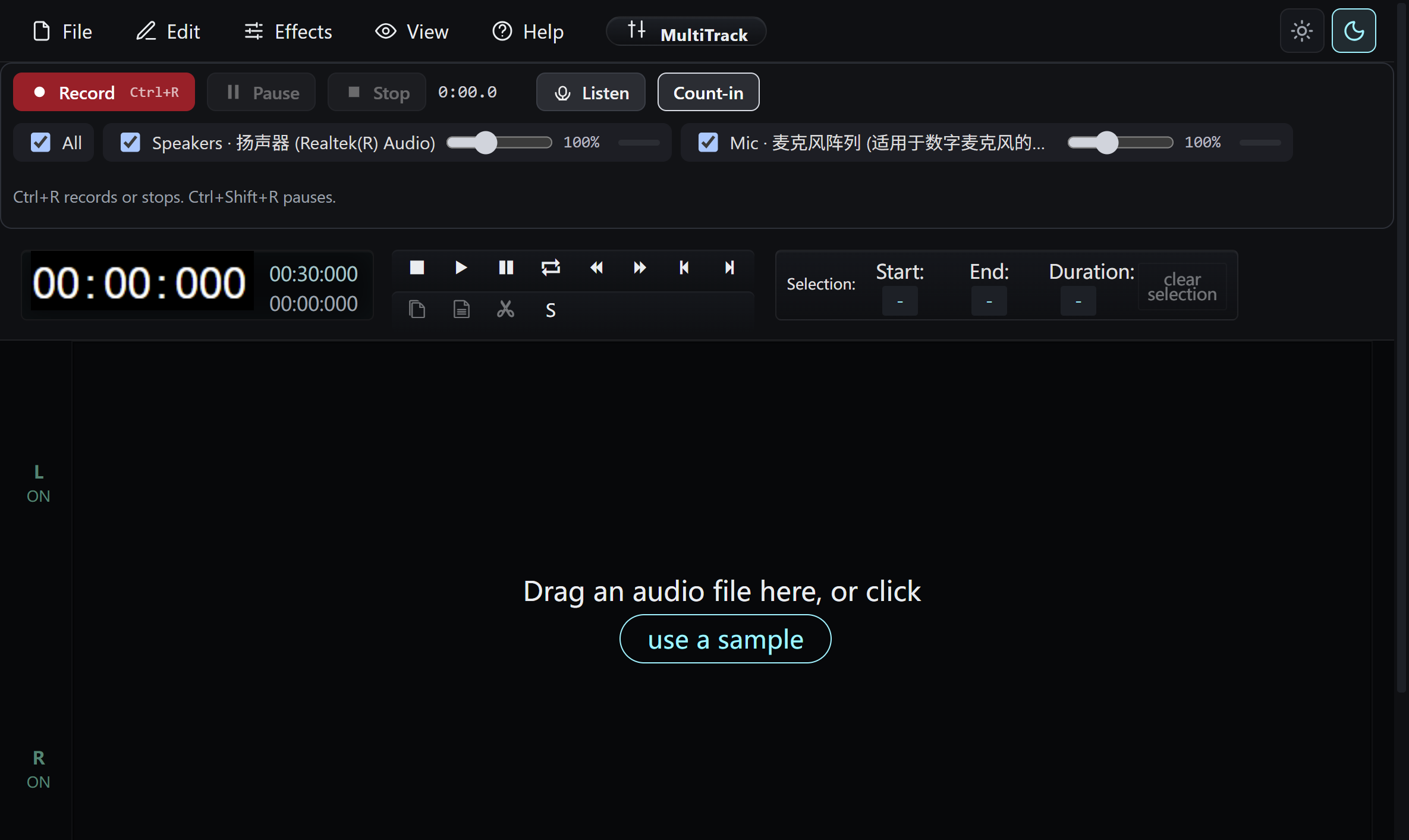
Control without clutter
A clear place to start.
Record online radio or other sound playing on your Windows PC, capture your microphone and keep the tracks separate.
Choose speakers, microphone, or both
Capture the sound playing on your PC and your own voice. The two inputs stay on separate tracks so you can review them independently.
Trim and refine the take
Play back the recording, remove unwanted passages and adjust the supported track controls before exporting.
Save a useful audio file
Export MP3, WAV or FLAC to a folder you choose. All included recording and export features are free.
Keep recording deliberate
Start, pause and stop the take yourself. This release does not promise automatic scheduling, automatic gain control or voice-triggered recording.
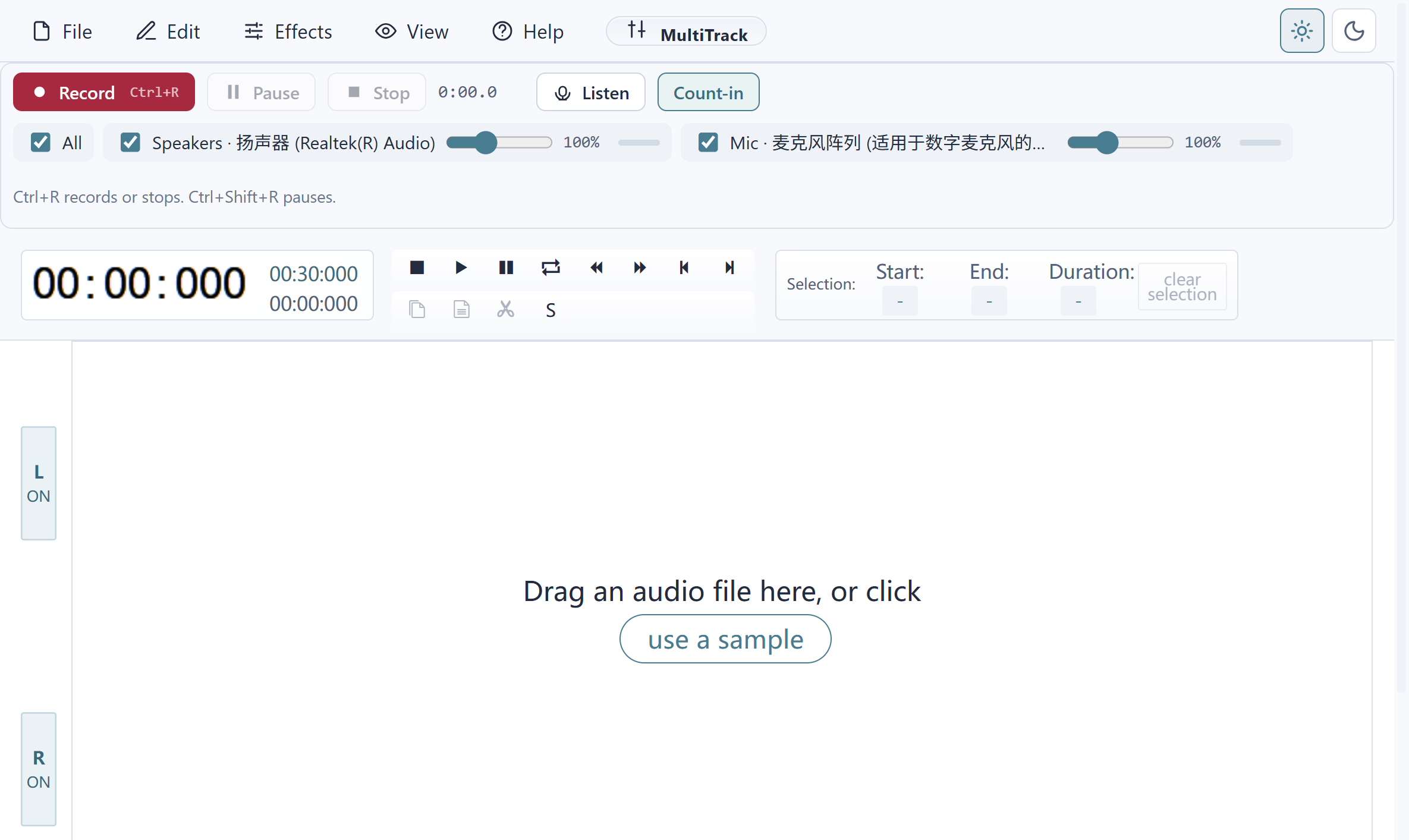
No account to create
Keep it simple. Keep it free.
All included application features are free to use.
Is Free Sound Recorder really 100% free?
Yes. You can use all included features without registration, activation, a license key, payment card or subscription. There is no trial expiry or paid feature unlock.
Does another offer decide whether I can use the app?
No. Setup may show an optional RelevantKnowledge research invitation with its own choices. You can decline or skip it and still install and use the free application.
Will my original files change?
Use a new output file name and keep your original files. Check your document, recording or conversion before replacing an older copy.
Your next task is welcome
Ready when you are.
Free Windows software, with no account, activation or subscription.
Read the installation guideFree Sound Recorder
Version 8.9.0 · Windows 10 & 11, 64-bit
Download for Windows- ✓100% free, all app features included
- ✓No registration or activation
- ✓No paid unlock or trial expiry
Requirements and download details
Windows 10 or 11, 64-bit. Administrator permission is required to install in Program Files. Microsoft Edge WebView2 Runtime is required. Keep enough disk space for source, temporary and output files.