
How to Burn Audio CD?
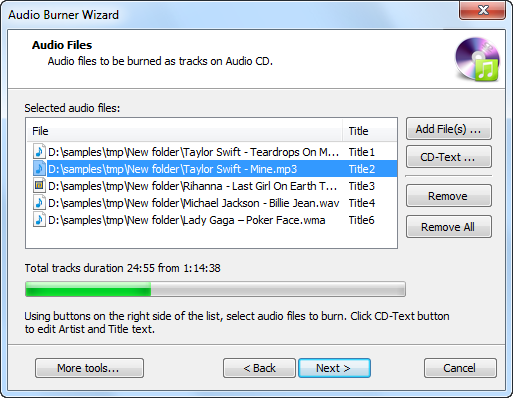
Introduction Got some music files and want to burn an audio CD to enjoy in your CD player? Magic Burning Toolbox provides top quality music CD burning to burnWAV, MP3, …


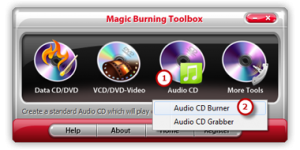
Magic Burning Toolbox provides an Audio CD Burner to process audio streams on-the-fly. This means it can burn audio files to CDs without de-compressing them to listen in a compatible audio system such as a car stereo or stand-alone CD player. Also, the Audio CD Ripper helps you directly rip audio tracks from audio CD for convenient backup & playback.

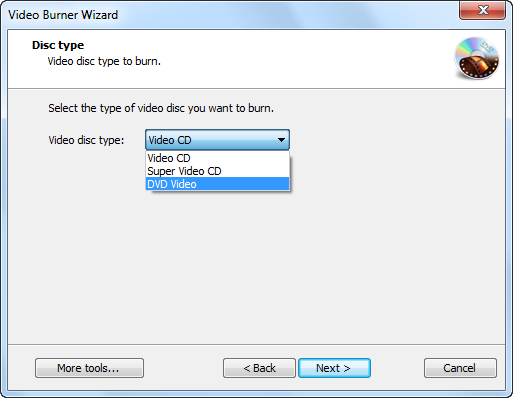
Directly burn all of your movie collection to DVDs from AVI, MPG, MPEG, MP4, WMV, MOV, MP4, etc. and HD videos such as M2TS, TP, TRP, etc. with high video quality to watch them on home DVD Player, car DVD Player or any other portable DVD Player.

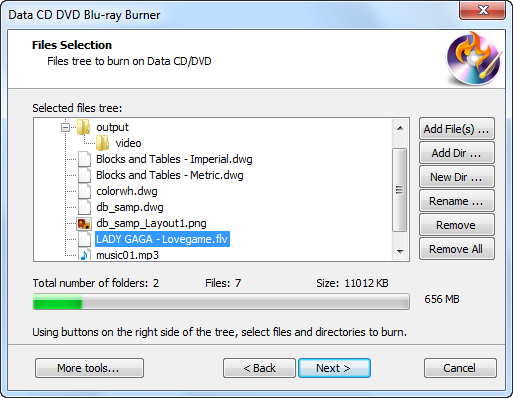
Magic Burning Toolbox provides a Data CD Burner to help you burn data in several sessions to discs to backup your important information, files or folders, images or texts, no matter what they are. It also allows you to update previously burned discs by adding and removing files and folders.

You are allowed to create ISO images from any file format you have through the ISO creator; also, backup your CD/DVD into ISO as an exact copy is available through the ISO ripper, saving you some bucks when you try to copy some PC games, software applications & operating systems; to burn the ISO you create from files or CD/DVD discs, use the ISO burner.
This software contains all the features one may need to successfully produce a high-quality CD. Also, Magic Burning Toolbox provides most of the customization options offered by other competitors. Another convenient feature in this product is the ability to backup data. Magic Burning Toolbox gets better ratings because of these handy features.

Introduction Got some music files and want to burn an audio CD to enjoy in your CD player? Magic Burning Toolbox provides top quality music CD burning to burnWAV, MP3, …
Introduction If you have made some home video for your wedding, the kids, the pets or interesting stuff, you may want to show them to your friends at a party. …
Introduction Purchasing a music CD does not means that you own it permanently because of some accidental physical damage or data loss. What you should do is to get a …
Introduction Personal videos & photos, bank account, contact list, business secret… everyone has some important data that should never be lost. To backup them is a necessity. Magic Burning Toolbox …
Usually, most of the consumers’ software is available with different features, so is the case with disc burner. There are different types of disc burner available at different prices you …