
How to Edit Music?
Introduction There are so many different reasons why there is a need to edit music. Depending on your resources, you might want to get an expensive program to edit music. …
Audio Record Edit Toolbox Pro is a professional audio editor and recorder, which completely control over all aspects of audio editing and mastering. It contains all features of Audio Record Edit Toolbox. It performs precise editing and creates 30+ audio effects & filters. It is your last destination for professional audio recording and mastering, sound design, audio restoration, and audio CD creation.

The built-in audio merger allows you to join audio files perfectly! It directly joins the separate audio files into a single audio track with the same or different formats to MP3, WMA, WAV and OGG for various usages without recompression, maintaining the original quality. Now you can enjoy your favorite music without interruption on your music player.

Audio CD Ripper is built into Audio Record Edit Toolbox Pro so you can easily rip music tracks from audio CD into WMA or WAV without launching any other application. It is also able to directly load an audio CD track into the editor waveform window to edit & save as MP3/WMA/WAV/OGG format on your hard drive. You can retrieve disc album info like artist, track name, title, etc. from free CDDB online database.

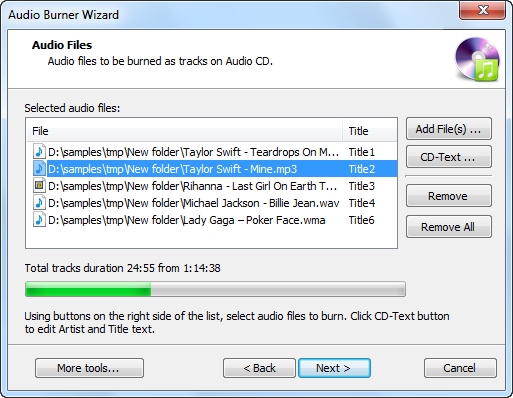
Audio CD burner is built into Audio Record Edit Toolbox Pro software so that you can easily create your own stylish audio CD or MP3 CD in the original quality to play in any standard home or car stereo without the need to convert in advance. You have the right to burn one track at a time or choose disc-at-once (DAO) to burn a disc with full control over the pauses between tracks.
Audio Record Edit Toolbox Pro supports multiple sound formats that are utilized in various fields like games, human speech and musical tracks. Users could precisely adjust the parameters if they have related experience; if not, the predefined parameters also work out.


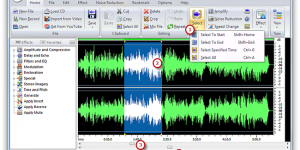
Introduction There are so many different reasons why there is a need to edit music. Depending on your resources, you might want to get an expensive program to edit music. …
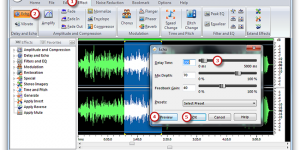
Introduction Before the invention of audio delay technology, music employing a delayed echo had to be recorded in a naturally reverberant space, often an inconvenience for musicians and engineers. The …
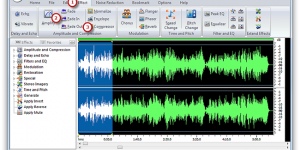
Introduction A recorded song may be gradually increased from silence at the beginning (fade-in) or gradually reduced to silence at its end (fade-out). With Audio Record Edit Toolbox you can …
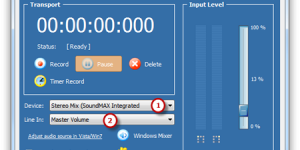
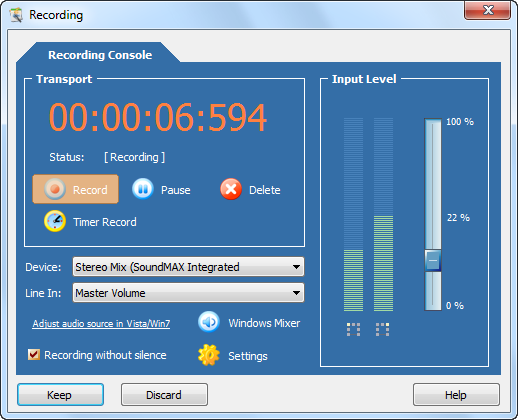
Introduction Audio Record Edit Toolbox helps record every tiny little sound you hear! Music being played in media player software, online radio programs, internet telephone conversation, live performance on mic, …
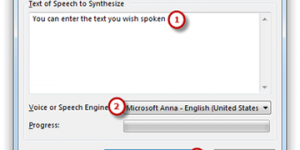
Introduction A Text-to-Speech (TTS) capability for a computer refers to the ability to play back text in a spoken voice. Audio Record Edit Toolbox provides a TTS system to convert …
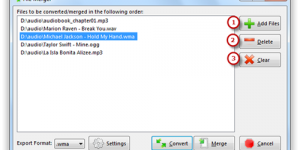
Introduction This tutorial is relating to users who are looking for methods of combining multiple audio files such as MP3, OGG, WAV, etc. into one large file. Audio Record Edit …